Fours Notification Event Trigger
Trigger a workflow when receiving a notification event.
Fours Notification Event Trigger is one of the most common triggers. The workflow builder lists it as Suger Notification Event Trigger, Fours’ former name.
How it works
Once the trigger is configured and the workflow is activated, the trigger subscribes to your organization’s notification events. When a notification event occurs, the workflow is triggered. The event data is parsed and passed to the following nodes as the input.
If the workflow is deactivated, the trigger will be deactivated automatically.
Configurations
- Filter By Choose the notification event types to handle, the other types will be ignored. Each type is named Action - Entity, for example Create - Entitlement. If you select none, the workflow runs on every event.
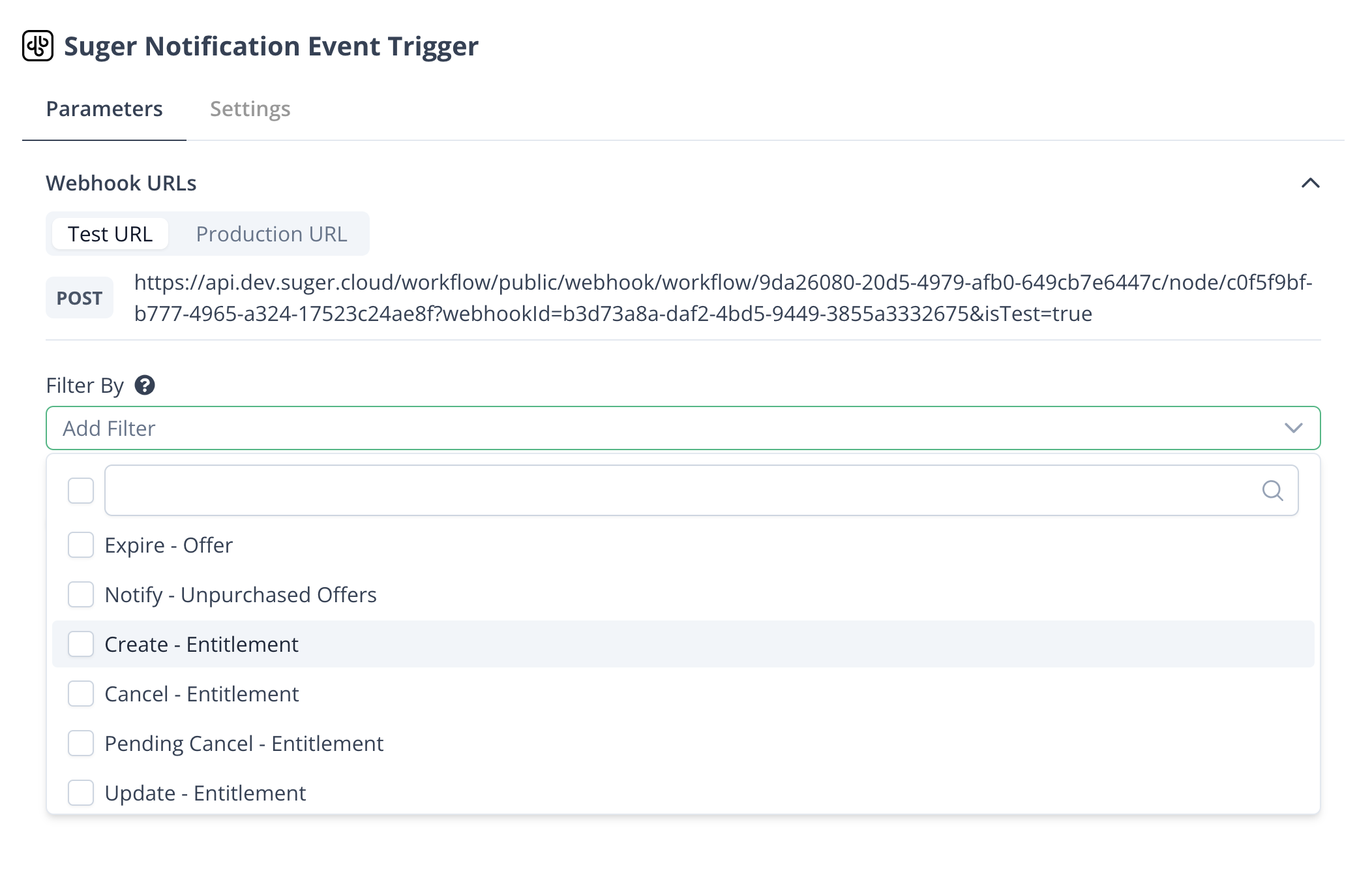
- Auto-parse to JSON Whether to parse the notification event as a JSON object. It is on by default; turned off, the event is passed to the next node as a string.
Co-sell and partner application events
Filter By also offers the events of Fours co-sell, the deals you share with partner companies through Fours, and new partner applications. The co-sell options carry Fours’ former name, Sugercosell.
| Filter By option | Scope | When it fires |
|---|---|---|
| Create - Sugercosell | CREATE.SUGERCOSELL | A co-sell is shared, by your team or with you. |
| Register On Behalf - Sugercosell | REGISTER_ON_BEHALF.SUGERCOSELL | A co-sell is registered on a partner’s behalf. |
| Accept - Sugercosell, Decline - Sugercosell | ACCEPT.SUGERCOSELL, DECLINE.SUGERCOSELL | The other side accepts or declines a co-sell. |
| Close Won Reminder - Sugercosell | CLOSE_WON_REMINDER.SUGERCOSELL | A co-sell is marked Closed Won. |
| Close Lost - Sugercosell | CLOSE_LOST.SUGERCOSELL | A co-sell is marked Closed Lost. |
| Commission Terms Updated - Sugercosell | COMMISSION_TERMS_UPDATED.SUGERCOSELL | The seller edits the commission terms a partner sees on a live co-sell. |
| Deal Updated - Sugercosell | DEAL_UPDATED.SUGERCOSELL | The seller saves a change to a deal field the partner can see. It fires only while the seller’s organization has Partners — Deal update emails switched on under Settings → Notification. See Email Notification. |
| Inbound - Partnership | INBOUND.PARTNERSHIP | A company applies to become your partner, from your partner application form or from a public deal registration when it isn’t your partner yet. |
A workflow runs on the notices addressed to your organization, the same ones Fours can post to your team’s Slack channels. See Co-Sell and Commission Alerts in Your Team’s Channels. A notice that carries a confirmation link for one person, such as the email asking a partner to confirm a registration made on its behalf, is sent by email only and never reaches a workflow. Commission events aren’t offered.
Spotted something wrong or out of date on this page? Tell us and we'll correct it.