Invoices
The Invoices page (sidebar → Invoices) is the accounts-receivable view: what buyers and channels still owe you, how overdue it is, and the full detail behind any single invoice.
Overview
Open Revenue → Invoices. The page has four summary cards, an aging chart, and a filterable invoice table; select any row to open its full record. The cards cover every invoice, whatever the date range, while the table starts at invoices issued in the last 90 days. For the money on its way to you — payouts and installments — see Cash & Disbursements.
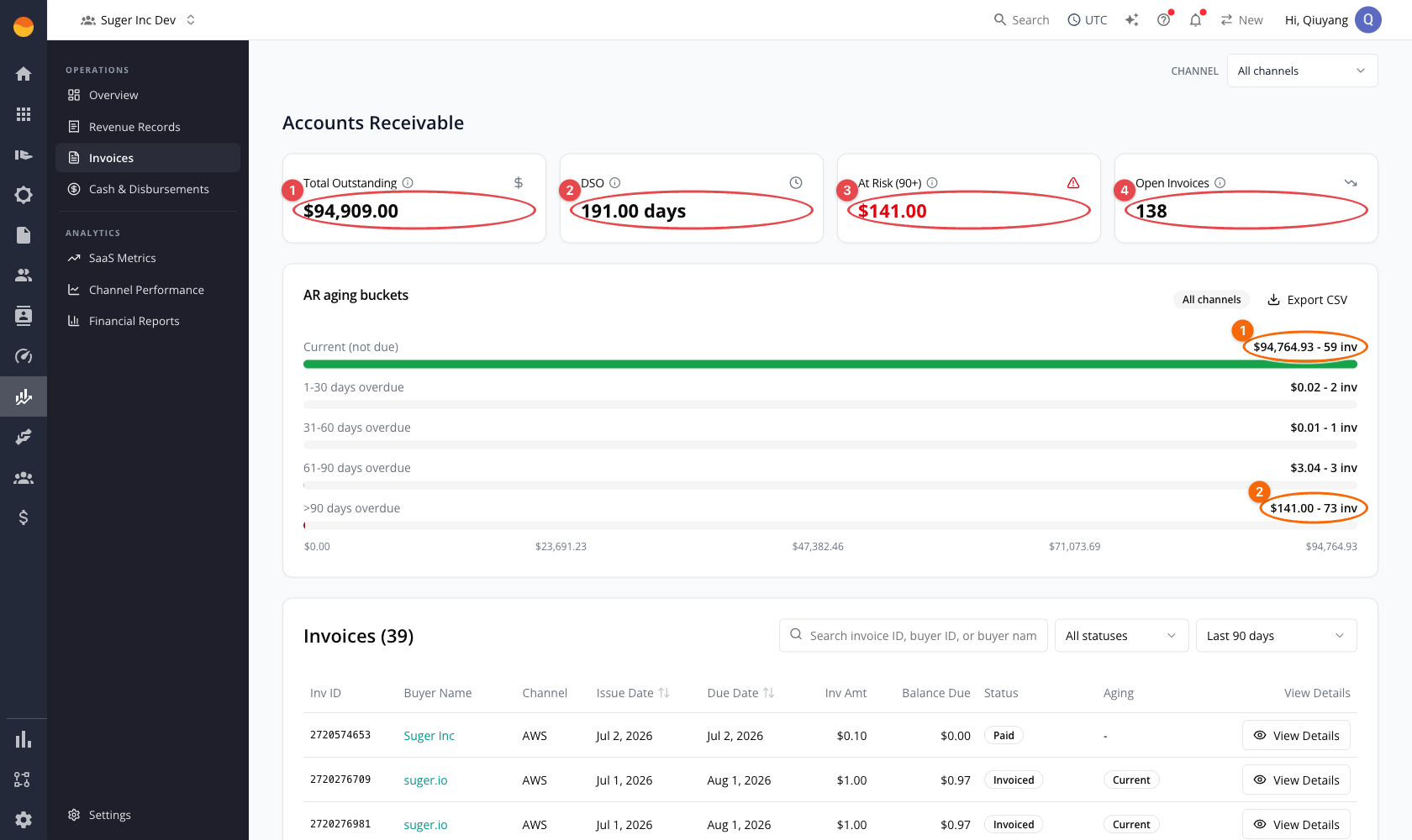
Summary cards
| Card | Meaning |
|---|---|
| Total Outstanding | Sum of unpaid invoice balances, excluding paid, voided, and written-off invoices. |
| DSO | Days Sales Outstanding — total outstanding as a share of everything invoiced, expressed in days. |
| At Risk (90+) | Outstanding balance in the oldest aging bucket. |
| Open Invoices | Count of invoices with a remaining balance due. |

Left to right: ① Total Outstanding, ② DSO (in days), ③ At Risk (90+), and ④ Open Invoices (a count, not an amount).
The cards add each invoice’s balance in its own currency without converting it, and show the total in dollars — so when your invoices span more than one currency, the total mixes them.
Aging buckets
The aging chart splits outstanding balances into Current, 1–30, 31–60, 61–90, and Over 90 days. An invoice is included while it is open — anything not paid, voided, or written off.
Aging is computed when you read it, not on a schedule. Every page load works out each invoice’s bucket from its due date against today’s date — days overdue are the whole days since that date, and an invoice with no due date counts as current — unless a bucket is already stored on the invoice, which then takes precedence. The same rule applies to every invoice, whoever owes it. There is no aging job to wait for: once an invoice whose bucket comes from its due date crosses into the next bucket, it shows there the next time you open the page.
Each bar shows the bucket’s total balance and invoice count; Export CSV downloads the underlying invoices (one row each, with the table’s columns and its aging bucket), not the bucket-level totals.
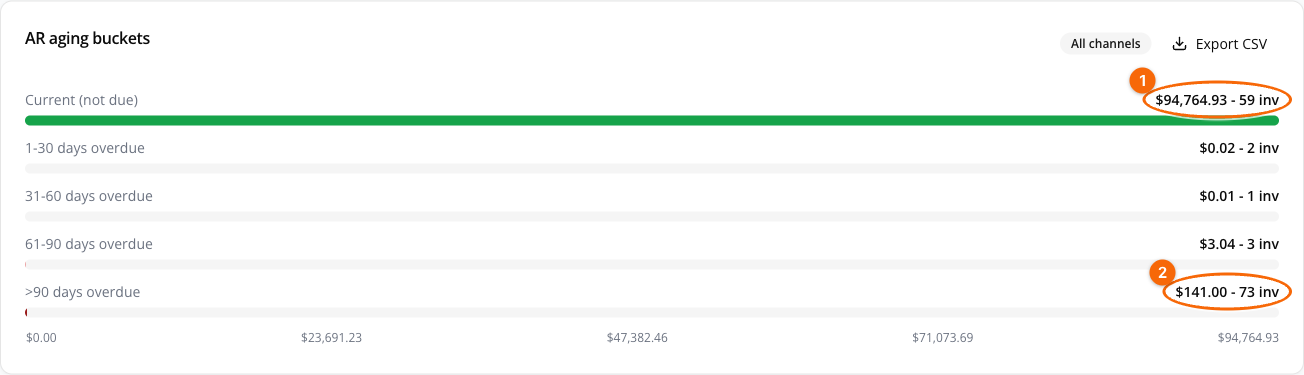
Here the bulk of the balance sits in ① Current (not due), while ② 90+ days overdue isolates the at-risk balance and its invoice count — the same figure surfaced by the At Risk (90+) card.
Working invoices
The invoice table lists the invoice ID, buyer name, channel, issue and due dates, invoice amount, collectable amount, partner fee in dollars and as a percentage, balance due, status, and aging. A column chooser lets you show and hide columns, and the table can be sorted by issue date, due date, collectable amount (which orders by balance due), and partner fee.
To see only the invoices for one agreement, open the entitlement instead: an entitlement’s detail page carries Invoices (n) and Disbursements (n) tabs, each already scoped to that entitlement. Filter by search, status (Open, Draft, Invoiced, Overdue, Partially Paid, Paid, Disbursed, Refunded, Written Off, Voided — no invoice is currently given the Disbursed status), aging bucket, date range, and channel. Search matches the IDs and other values stored on the invoice — invoice, buyer, entitlement, and product IDs, for example — and also the buyer names shown in the table, as a case-insensitive substring.
To inspect a single invoice:
- Find the invoice in the table — use search or the status/date/channel filters to narrow the list.
- Select View Details on its row.
- Review the record — billing and contract terms, financials, and settlement — alongside a lifecycle timeline (issued → payment applied → disbursed/swept → written off).
- Select Back to invoices to return to the list.
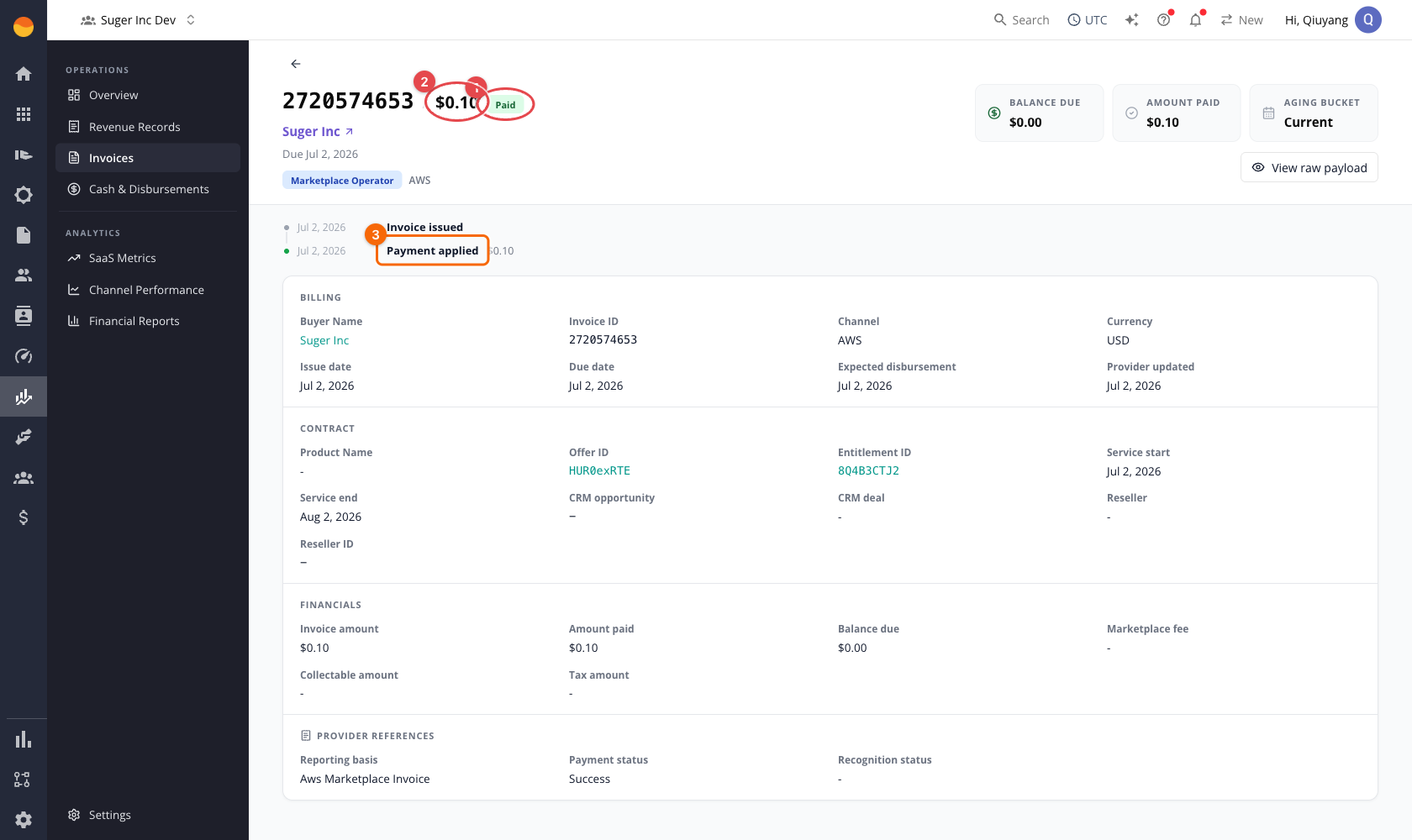
The header strip summarizes the invoice at a glance — the circled items below are the invoice ① status (Paid, Invoiced, Overdue, …) and its ② amount, with balance due, amount paid, and aging bucket beside them:

Tax on the invoice detail
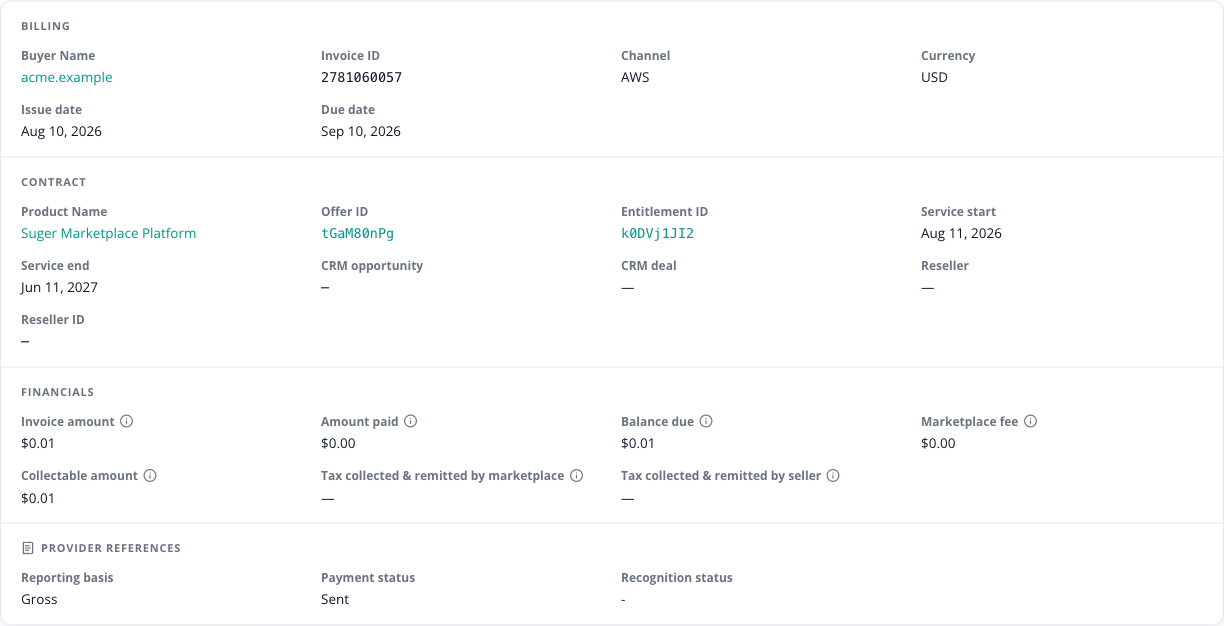
Most channels show a single Tax amount on the invoice detail. AWS is the exception — an AWS invoice shows two tax lines, because AWS splits who is responsible for remitting the tax:
| Line | Meaning | Counted in the invoice and collectable amounts? |
|---|---|---|
| Tax collected & remitted by marketplace | AWS collected this tax from the buyer and remits it to the tax authority itself. | No — informational only. |
| Tax collected & remitted by seller | Tax AWS collects and disburses to you; you are responsible for remitting it onward. | Yes — it is included in the invoice amount and in the collectable amount. It is not deducted. |
Read the two lines together before reconciling an AWS invoice: only the seller-remitted line is cash that passes through your hands — and because it is already inside the collectable amount, do not subtract it again. At the moment the seller-remitted line shows — instead of an amount (see the caution above).
There is a third AWS tax figure, and it is not on either of those lines. When AWS charges VAT on its own listing fee, the invoice’s marketplace fee carries an incl. $X fee VAT note breaking that amount out. This is tax charged to you on AWS’s fee, not tax on the buyer’s purchase — it is broken out so it can be claimed as recoverable input VAT.
KPI calculation formulas
Every amount stays in its invoice’s own currency; the cards add them without converting. The list combines the invoices Fours holds with revenue records that have no matching invoice — Stripe included — and AWS sibling rows are aggregated into one invoice, by invoice ID and currency, first. The cards cover all of them, whatever the table’s date range, narrowed only by the channel.
| KPI | Applies to | Formula | Calculation details |
|---|---|---|---|
| Total Outstanding | AWS, Azure, GCP, Stripe | Σ balance due of open invoices | Open = balance due above zero and not voided or written off. See Balance due below. |
| DSO | AWS, Azure, GCP, Stripe | (total outstanding ÷ Σ total of every invoice) × 90 | The denominator is the total amount of every invoice listed — any date and any status, including paid, voided, and written-off ones. Rounded to two decimals; 0 when there are no invoices. |
| At Risk (90+) | AWS, Azure, GCP, Stripe | Σ balance due in the Over 90 bucket | The same open invoices as Total Outstanding. |
| Open Invoices | AWS, Azure, GCP, Stripe | count(open invoices) | Open = balance due above zero and not voided or written off. |
| Aging bucket | AWS, Azure, GCP, Stripe | bucketed by whole days since the due date | Buckets: Current (not yet due, or no due date), 1–30, 31–60, 61–90, Over 90. Computed at read time against today’s date, the same way for every counterparty; a bucket already stored on the invoice takes precedence. |
Balance due
An invoice from Fours’ own invoice records owes its recorded amount due, and nothing once it is paid, voided, or written off. A revenue record with no matching invoice owes the amount below, never less than zero — and nothing once it is marked paid, voided, or written off:
| Channel partner | Formula | Included/excluded data | Date, currency, and rounding rules |
|---|---|---|---|
| AWS | collectable amount − refund − amount paid | Refund = the refund invoice amount recorded on the record, whatever the refund’s status. Amount paid = the larger of the collected and disbursed amounts. | In the record’s own currency, unconverted; totals rounded to cents. |
| Azure, GCP, Stripe | (collectable amount, else invoice amount, else disburse amount) − refund − amount paid | The same refund and amount-paid rules as AWS. | Same as AWS. |
Spotted something wrong or out of date on this page? Tell us and we'll correct it.