How the Marketplace Works
Marketplace is a curated catalog of pre-built agents and skills for common workflows. Instead of building everything from scratch, you browse the catalog, review an item, and install it into your workspace.
Installed items become part of your workspace: you can use installed agents in conversations, assign them to jobs, add them to channels, and enable or edit installed skills for your team’s needs.
Stores: Personal and Organization
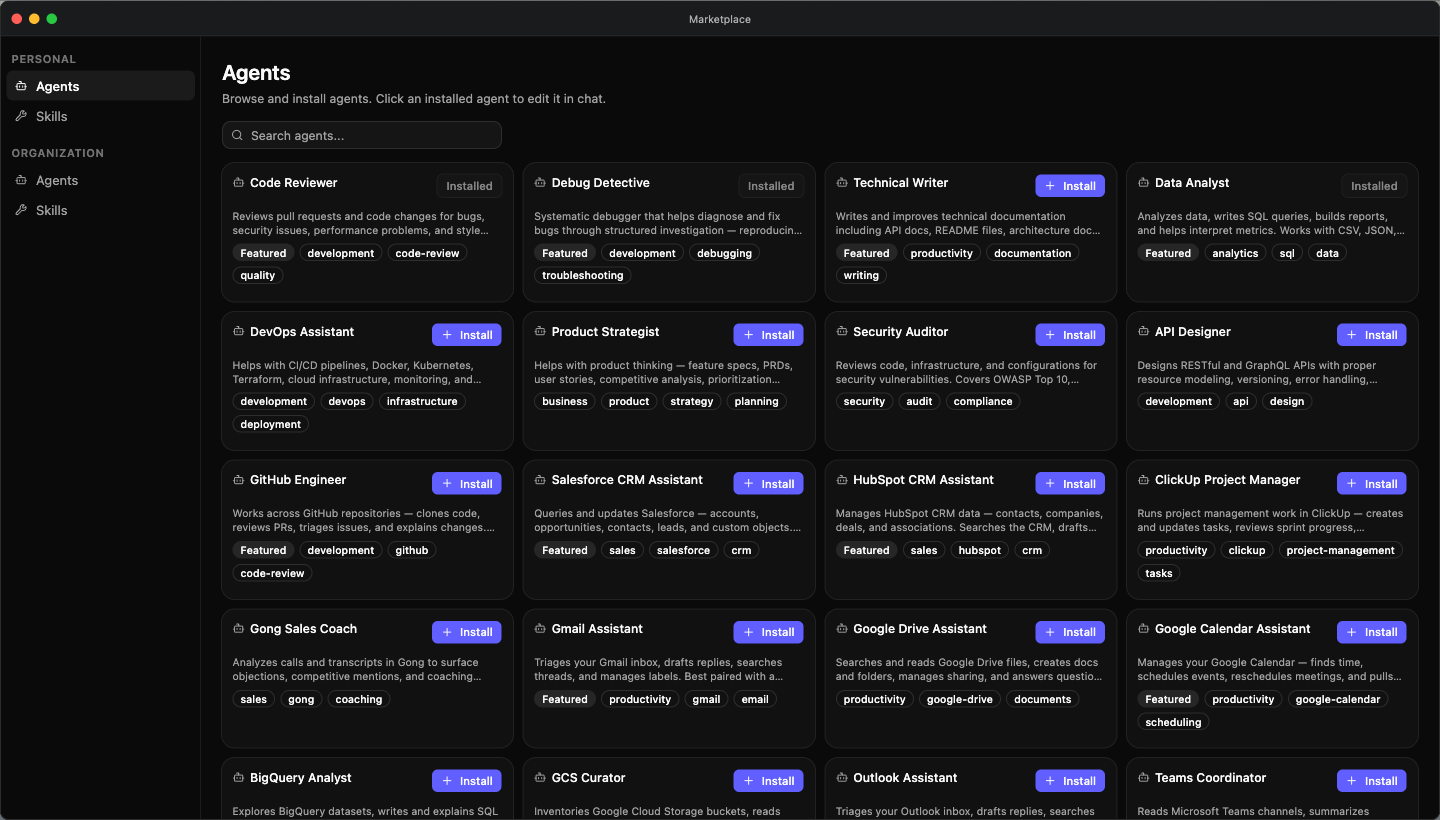
Open Marketplace from the desktop dock. It opens as a window with a left sidebar. Depending on your role, the sidebar shows one or two stores, and each store has an Agents and a Skills entry:
| Store | Who sees it | What installing does |
|---|---|---|
| Personal | Everyone | Creates a private copy in your own workspace. |
| Organization | Org admins only | Adds a skill that every organization agent can use, or creates an organization agent that stays private until you share it. |
The Organization store is shown only to org administrators. Installs, imports, edits, and deletes at the Organization store change what your organization owns and require admin access. An organization agent reaches other people only once you share it with them or with the whole organization.
Discovering New Capabilities
The marketplace catalog is updated as new agents and skills are added. Check back periodically, and use the search box to find items by name, category, or tags. Featured items are badged in the catalog.
Spotted something wrong or out of date on this page? Tell us and we'll correct it.